
Showing posts with label blogging. Show all posts
Showing posts with label blogging. Show all posts
Friday, 20 September 2019
DFI te rā tuawhā
Tohatoha - (verb) (-ina) to spread around, spread out, spread abroad, distribute, share, deal (cards). Not just LCS, but SLC, CLS and LSC etc. Today was about the use of a website to 'hook' (noun: matau) or entice people in, using a universal approach to designing learning and creating a multimodal website. I started a website with a focus on level 5 social studies, NZ history and Te Tiriti o Waitangi. Not having particular students in mind was the biggest disadvantage for me, but I have started gathering some text resources that may be of help to others. Click on the image to access the site.

Friday, 6 September 2019
DFI te rā tuarua
Kia ora te whānau. Rāmere, 6th Hepetema, he DFI te rā tuarua. He reremahi ko te kaupapa. He pai ki ahau te taupānga Kūkara. Ināianei, i te mahi ahau te wātaka Kūkara, mahara Kūkara, īmera Kūkara, hui ataata Kūkara me te ripa rorohiko.
The create task was to use Quicktime to record a hangout meet and discuss a blog post. For some reason my internal microphone was not working and I only recorded the video with no sound, which I deleted. So, then I did a bit of troubleshooting and discovered that I needed to give Quicktime access to my camera and microphone, which was strange as I only used it about 2 -3 weeks ago for the Online Toolkits. Anyway, then I did a short test which is attached.
The create task was to use Quicktime to record a hangout meet and discuss a blog post. For some reason my internal microphone was not working and I only recorded the video with no sound, which I deleted. So, then I did a bit of troubleshooting and discovered that I needed to give Quicktime access to my camera and microphone, which was strange as I only used it about 2 -3 weeks ago for the Online Toolkits. Anyway, then I did a short test which is attached.
Friday, 10 August 2018
Smart Relationships
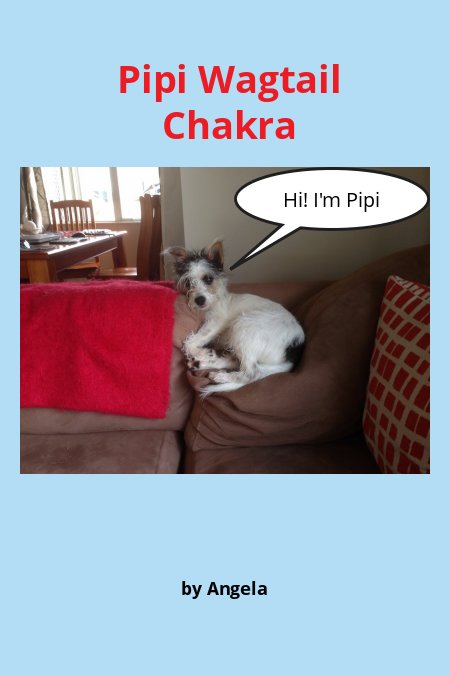
Here is an online book I made with Book Creator. It works easily on chrome and is now good for chromebooks as well as tablets. There are many choices of colours, fonts, shapes and backgrounds, as well as the ability to upload images, record and also read aloud.

Monday, 7 May 2018
Term 2 Digital Footprint
This is the resource I have put together for term 2 cybersmart - digital footprint. I started using this with five teachers last week. All classes have a slightly different version of this resource because I decided to make separate copies for each school to provide a similar base of content and then to cater for the differing needs of teachers and students. I expect that over the course of the term, the content will change further as I work with teachers and continue to co-construct.
Week 1 started well with discussing what happened recently with facebook. Many students thought that facebook's user data had been hacked, so we had some great discussions about what really happened and then why it is important to be aware of age restrictions for social networking sites, as well as how to keep your privacy settings up to date.
There are some things I still need to add including students making an up-to-date blog profile and building in blog posting and commenting - positive, thoughtful, helpful.
Two of my year 3-4 classes are still back working through a few more term 1 items and then I will begin an age-appropriate digital footprint curriculum for them.
Week 1 started well with discussing what happened recently with facebook. Many students thought that facebook's user data had been hacked, so we had some great discussions about what really happened and then why it is important to be aware of age restrictions for social networking sites, as well as how to keep your privacy settings up to date.
There are some things I still need to add including students making an up-to-date blog profile and building in blog posting and commenting - positive, thoughtful, helpful.
Two of my year 3-4 classes are still back working through a few more term 1 items and then I will begin an age-appropriate digital footprint curriculum for them.
Tuesday, 14 November 2017
Book Creator Volume 2
Here is my second book using Book Creator. This time I added video and also a voice recording. It was quite simple and very effective. Students can record their voice so that the person reading the book can follow the words and listen to the voice. Inserting text, colours, shapes, video and voice recordings are all straight forward.
Wednesday, 16 August 2017
Book Creator
Here's a neat little app which is used with Chrome and a Google account, called Book Creator. It has been in the beta stage and has now been finished. I created this book with no difficulty in about 30 minutes, and although not much of a graphic artist, think that it looks quite good. What do you think? Have a try yourself at app.bookcreator.com. Once created, the author can get the html code to embed on a website or blog. There are many uses for this app - writing, storytelling, graphics with words and pictures. Shapes and call outs can also be added to give variety and individualisation, and pages can be added for long stories.
Tuesday, 30 May 2017
PowToon
Interesting app. Not too hard to use with lots of options for creation and music to add. I still have to experiment with a voice over. Embedded on the blog fine too. I think students will really like using this creation tool.
Friday, 19 May 2017
Animation
The class of children that I worked with to create their animations was really keen and interested to do these. They were studying magnets in class so I used this as the context for the animation. The class were taught how to animate one slide using the 'insert animation' feature in google slides. They learnt about putting in a background and using images with transparent backgrounds to make the setting look authentic. Then they learnt how to use the 'explore' function to select and add images which they then animated. They also learnt to animate text boxes. Learning also included the need to animate objects in the order that the creator wishes to have the objects move. Then I put all the individual slides together on one slideshow and embedded on my blog. I also showed the teacher how to embed this on her blog.
Friday, 9 September 2016
My Word Cloud

This was a piece of work that I completed with a year 4 - 5 class to show them how to post a blog that has a title, labels and a short explanation of the writer's learning.
Subscribe to:
Posts (Atom)