Today was focussed on devices. We had some time with a Chromebook and an ipad. This integrated well with the Manaiakalani kaupapa because the explanation covered why these devices are the choices for use with the Manaiakalani model. There was also 101 Hapara Teacher Dashboard, a play with the Digital Dig anda chance to register for the Google Educator exam.
We were asked to create a screencast with reference to one of the content areas of the Manaiakalani cybersmart curriculum. I looked at Smart Media because I think this topic is a really interesting area for students and teachers to investigate. There is a lot of content that can be used or adapted to fit the age, stage and delivery angle, and it fits into a variety of learning areas for secondary school students.
Showing posts with label Professional Learning. Show all posts
Showing posts with label Professional Learning. Show all posts
Friday, 8 November 2019

Friday, 1 November 2019
DFI te rā tuawhitu
Today's session was dedicated to the two new learning areas of the Technology Curriculum - CT (Computational Thinking) and DDO (Developing Digital Outcomes). We were very fortunate to have Vivienne from OMG Tech with us sharing lots of great resources and ideas for use to meet the PO (progress outcomes) of these two areas. These things should be linked to our Maker-y site so that teachers have a 'one stop shop'.
OMG Tech lessons is a great resource with lots of lesson plans, ideas, videos.
Hour of Code which I have used in classes for a few years. The most wonderful find of the day was Minecraft in te reo Māori - change the language bottom right of the page.
Another activity highlighted was Kodable for pre readers. Teachers were advised to check which activities work on the ipad.
Scratch (Simple Maze Game example and 10 Block challenge) and Scratch junior were shown. You can now bring your own photos into Scratch Junior - add blank button then click top right, draw frame, tap camera, take photo. and it is automatically added.
Compute it for coding beginners.
Vysor is an extension for the Google Chrome browser that connects to an app on your android smartphone, enabling you to control your phone from your PC or Mac using the mouse/trackpad and keyboard. Everything happens via a USB cable, which you'll need to connect the phone to your computer's USB port.
Also covered were the Binary number system., ASCII American standard code for information exchange and Hex codes and how colours work from 00-FF.
Overall this was a very useful day to set teachers up with resources, ideas and a link to a company really working hard to empower teachers to empower their learners in this space.
OMG Tech lessons is a great resource with lots of lesson plans, ideas, videos.
Hour of Code which I have used in classes for a few years. The most wonderful find of the day was Minecraft in te reo Māori - change the language bottom right of the page.
Another activity highlighted was Kodable for pre readers. Teachers were advised to check which activities work on the ipad.
Scratch (Simple Maze Game example and 10 Block challenge) and Scratch junior were shown. You can now bring your own photos into Scratch Junior - add blank button then click top right, draw frame, tap camera, take photo. and it is automatically added.
Compute it for coding beginners.
Vysor is an extension for the Google Chrome browser that connects to an app on your android smartphone, enabling you to control your phone from your PC or Mac using the mouse/trackpad and keyboard. Everything happens via a USB cable, which you'll need to connect the phone to your computer's USB port.
Also covered were the Binary number system., ASCII American standard code for information exchange and Hex codes and how colours work from 00-FF.
Overall this was a very useful day to set teachers up with resources, ideas and a link to a company really working hard to empower teachers to empower their learners in this space.
Friday, 25 October 2019
DFI te rā tuaono
Data was the big topic today and the group covered Google Forms, MyMaps and Sheets. There was a great amount of content. The challenge was to use a 'create' tool to analyse data and then share the analysis on our blogs. I decided to analyse my blog post frequency over the last 4 years and think about the trends that the analysis shows.
Firstly, I investigated my total posts. I was a little surprised by the downwards trend, although 2019 hasn't finished yet. I looked a little closer at 2016 and was reminded that in that year I was totally new to Google Drive and blogged everything I learned so that my blog could be used by me as a tutoring tool when I forgot. I also reflected that since 2017, I have been carrying two major roles for Kootuitui ki Papakura so that was the most probably reason for the dramatic decrease in posts. Oh, and with this post, my 2019 total will rise to 12!
Secondly, I investigated the monthly data for my blog posting. The trend over each year is quite clear to me that most of my blogging is done between March and September, which is the 'meat' of the year. I don't do much blogging over the summer period and not while I am on annual leave. This is quite reasonable because I only use this as a professional blog, however, I will aim to try and complete a couple of posts over the 2019-2020 summer period to see whether I get views of these posts.
Firstly, I investigated my total posts. I was a little surprised by the downwards trend, although 2019 hasn't finished yet. I looked a little closer at 2016 and was reminded that in that year I was totally new to Google Drive and blogged everything I learned so that my blog could be used by me as a tutoring tool when I forgot. I also reflected that since 2017, I have been carrying two major roles for Kootuitui ki Papakura so that was the most probably reason for the dramatic decrease in posts. Oh, and with this post, my 2019 total will rise to 12!
Secondly, I investigated the monthly data for my blog posting. The trend over each year is quite clear to me that most of my blogging is done between March and September, which is the 'meat' of the year. I don't do much blogging over the summer period and not while I am on annual leave. This is quite reasonable because I only use this as a professional blog, however, I will aim to try and complete a couple of posts over the 2019-2020 summer period to see whether I get views of these posts.
Friday, 13 September 2019
DFI te rā tuatoru - kia awhiawhi hanga
Kia kaha te reo Māori. Whāia te ara poutama o te reo ka tohatoha ai - keep improving your language and share what you know. Ko tenei taku pepeha.
Let's Animate
At DFI 3 we spent some time focussing on animation. Four of us decided to create an animation that we could join together. We decided to use a plane flying through several landscapes. Above is my individual animation. While below is the video of the 4 animations playing one after the other.
Friday, 6 September 2019
DFI te rā tuarua
Kia ora te whānau. Rāmere, 6th Hepetema, he DFI te rā tuarua. He reremahi ko te kaupapa. He pai ki ahau te taupānga Kūkara. Ināianei, i te mahi ahau te wātaka Kūkara, mahara Kūkara, īmera Kūkara, hui ataata Kūkara me te ripa rorohiko.
The create task was to use Quicktime to record a hangout meet and discuss a blog post. For some reason my internal microphone was not working and I only recorded the video with no sound, which I deleted. So, then I did a bit of troubleshooting and discovered that I needed to give Quicktime access to my camera and microphone, which was strange as I only used it about 2 -3 weeks ago for the Online Toolkits. Anyway, then I did a short test which is attached.
The create task was to use Quicktime to record a hangout meet and discuss a blog post. For some reason my internal microphone was not working and I only recorded the video with no sound, which I deleted. So, then I did a bit of troubleshooting and discovered that I needed to give Quicktime access to my camera and microphone, which was strange as I only used it about 2 -3 weeks ago for the Online Toolkits. Anyway, then I did a short test which is attached.
Friday, 10 August 2018
Smart Relationships
Here is an online book I made with Book Creator. It works easily on chrome and is now good for chromebooks as well as tablets. There are many choices of colours, fonts, shapes and backgrounds, as well as the ability to upload images, record and also read aloud.

Thursday, 19 July 2018

Thursday, 12 July 2018
Kootuitui Whaanau video using Adobe Spark
Finally, after many hours, I got the final version of the video saved and ready for sharing. I decided not to do a voice over as I didn't want to have more issues with it that would affect what I'd already achieved. I also decided to make it a square format as it's easier to view on a phone and tablet. The major learning has been to keep the number of slides small and to wait each time I uploaded an image so that the programme had time to save as I made it.
And then I uploaded my video to my Youtube channel and here it is there:
Spark Adobe slides to video trial
I created a simple slide presentation into video using Spark Adobe. This was my second attempt and it only has 5 slides. This is because I started with creating a video of about 25 slides and discovered that the programme saves EXTREMELY slowly, so I decided to use a much smaller number of slides and the result was much better, especially if I am thinking of trialing in a class next term.
When my first attempt finally saves, I will also post it to this blog. It has a work focus and the purpose I was creating it was for the Kootuitui website as an artifact of the work our whaanau have been doing over the course of the year.
Wednesday, 11 July 2018
Critical Thinking and Fake News
During the Developing in Digital Worlds workshops, I observed many teachers creating learning experiences for their students based on collaborative reasoning and argumentation. I considered how, as a facilitator, I could create some engaging learning activities along this line. Classes were studying 'digital footprint' and had been assessing sites and emails for signs of phishing. They were learning how to detect lies and stay true. I considered some of the topics that we had covered in the DIDW sessions and thought about how these could be incorporated with lie detection and came up with the activity above.
It was quite challenging as it required students to read the information on the site I had provided with respect to the statement in blue and then find two other different and reliable sites that corroborated that message. When they could do this, the 'Rule of 3' can be assumed to mean that the statement is true. It was difficult because students had to read the whole texts that they were given and also that they accessed. Sometimes the heading or title made a statement that wasn't actually proven by the text. Often, the crux of the text was right at the bottom of a fairly long article and students had to persevere, scroll down, by-pass adds etc to get to the end.
Some students made a very good attempt. I also learnt that allowing students to do this with one or two others helped them all to complete it. Have a look at:
Hailey
Brianna
Tuesday, 5 June 2018
Ko Au - All About Me
During term 1 I have been teaching digital footprint in classes. Part of this was to ask students to write an introduction about themselves for their blog. This would be a smart piece of writing in that they wouldn't use any information that should not be shared online.
I started this with my year 3-4 classes in two schools and then decided to use it with the year 5-6 classes in some schools. When I thought about Kereru Park, I considered that many students there could speak Te Reo quite well and might prefer to write this in Māori. I mentioned it to Jason and he gave me the phrases on slide 2. Then, I went to class and asked the teacher, Whaea Horiana to help me with the correct phrases in Te Reo for slides 1 and 3 and this is the result. Please feel free to reuse or modify as you wish.
I started this with my year 3-4 classes in two schools and then decided to use it with the year 5-6 classes in some schools. When I thought about Kereru Park, I considered that many students there could speak Te Reo quite well and might prefer to write this in Māori. I mentioned it to Jason and he gave me the phrases on slide 2. Then, I went to class and asked the teacher, Whaea Horiana to help me with the correct phrases in Te Reo for slides 1 and 3 and this is the result. Please feel free to reuse or modify as you wish.
Sunday, 22 April 2018
Evaluation from EdTech Akl Summit
Baruk Jacobs and I presented at the Edtech Summit in Auckland. Sadly, only 4 people completed the evaluation but the results are:
 What I can take from this limited response is that participants were fairly happy with the content and format of our session. There isn't much from this to work on for our uLearn submission, but we have our own reflections and ideas to make improvements. Even so, it is good to get some feedback which includes positive and encouraging comments.

Tuesday, 17 April 2018
EdTech Google Summit Auckland 2018
This summit has held in the first two days of the April school holidays. It was a great time for learning, listening, trying things out, networking and sharing. It was quite hard to choose what sessions to attend, however through the summit app, the resources for all sessions were accessible - and this included all summits - NZ and overseas. What a terrific resource for continuing learning.
I appreciated the messages from the keynote speakers such as the importance of play in learning and encouraging students to tell their own stories. I have a number of activities from the workshops I attended to investigate and think about how these could be adapted for classrooms I facilitate in. I also appreciated the workshop in Te Reo that I attended and have a list of technological words in Māori that I can trust are correct. Here is the list should blog readers be interested. I'm going to try using one word a week and that way I may remember them.
Baruk and I did our workshop. We were quite critical of our performance and immediately jotted down ways to improve it. We are now working on an upscaled version for submitting for uLearn 2018. I am very grateful to everyone who shared their knowledge, expertise and resources.

I appreciated the messages from the keynote speakers such as the importance of play in learning and encouraging students to tell their own stories. I have a number of activities from the workshops I attended to investigate and think about how these could be adapted for classrooms I facilitate in. I also appreciated the workshop in Te Reo that I attended and have a list of technological words in Māori that I can trust are correct. Here is the list should blog readers be interested. I'm going to try using one word a week and that way I may remember them.
Baruk and I did our workshop. We were quite critical of our performance and immediately jotted down ways to improve it. We are now working on an upscaled version for submitting for uLearn 2018. I am very grateful to everyone who shared their knowledge, expertise and resources.

Monday, 25 September 2017
Putting my Google Calendar on my blog
Here is a great example of a teacher using a website to show students how to embed a Google Calendar on their blog. Thanks to Jason Borland who covered this with one of his year 9 ICT classes, I watched his screencastify on his class website and followed his instructions.
There were a couple of issues to overcome. The first is that for all the items on the calendar to be visible, the calendar must be set to 'public'. If it isn't then people from outside the users organisation will not be able to see these. The second is the name at the top of the calendar. As you can see, it shows the full name and we would like to avoid that with students. To change this, teachers would need to make sure that the name of the calendar is just the first name of the students.
Wednesday, 20 September 2017
Kootuitui's first Unconference
At the Leaders' PLG in Term 2, the idea of an unconference for Kootuitui was raised and discussed. It was decided to go ahead with our first in Term 3. The format would be slam down 1 followed by a 20 minute workshop, a Kahoot quiz for everyone and then slam down 2 followed by a 20 minute workshop. The top presentation is the slide deck that was used to gather offerings for the 20 minute sessions. Dave Winter, our wonderful Manaiakalani Outreach Manager, prepared and ran the Kahoot. Two of the school leaders sourced prizes for the Kahoot winners. These were one chromecast from Cyclone and two portable wifi storage devices from Noel Leemings, Papakura. Papakura Kootuitui Trust sponsored sweet treats. The second presentation is a range of photos taken at the unconference.
About 80 teachers/personnel attended with 19 individuals offering workshops.
How did it go and what was the feedback? The location of the high school was very good. Everyone gathered in the hall and it is a large enough space to accommodate everyone. The workshops were held in different classrooms. The original plan had been to have the workshops in the hall. However issues such as noise and the lack of portable data projectors and screens, necessitated a change of plan. It seemed to run smoothly and meet most people's needs. Some feedback included:
- it was good to have everyone together for clustering and networking
- keep the same venue for subsequent unconferences
- maybe a few of the workshops could be held in the hall next time so that people could find it easier to move from one to another within the 20 minutes
- the 20 minutes was a good length of time to have a discussion or get information that I could then look at later in my own time
- prizes were great
- I wanted to go to two in the first session and none in the second
- there wasn't anything for complete beginners
The Leaders were buoyed by the overall positive response and are now planning another unconference for Term 4. There will be a few tweaks to the first as we want to provide a way for attendees to express their interest in learning about certain things rather than being the receivers of predetermined workshops. The first time through we considered providing afternoon tea of some kind and decided that it would take time from a very tight schedule. However, having tea, coffee and biscuits available may be a way around this. We also need to ensure that all schools are clear that their staff bring their laptop with them as some teachers claimed they weren't told to bring one and so couldn't fully participate.
It certainly was an excellent way of gathering for a purpose - learning, creating and sharing, and it will be interesting to see where the idea heads over the next year. It has been suggested that unconferences happen once a term and replace one of the sets of Toolkits. It has been fantastic working with the Leaders on this and achieving something much bigger as a group than any one of us could alone.
Sunday, 27 August 2017
Manaiakalani 6th Annual Hui
I asked Russell Burt, the Principal Convenor, how many years Manaiakalani had been a formal cluster and he informed me that it came into being as an entity in 2006-2007. Thinking about this being their 6th annual hui meant that their first one was in 2012, and six years after formation. This gave me some comfort in that Kootuitui could also start 'slow' should we be considering a similar type of annual event.
Tea and coffee was available as people arrived. It was a first chance to meet people and reconnect with others. The formal start was a mihi, karakia and waiata from students from Pt England school and principal, Russell Burt. The student spoke confidently and the group sang with heart and love. the student who did the whaikorero said that the marae of the area was Ruapotaka, however there wasn't a kaumatua to start the day. The second thing I noticed was that even though everyone was welcomed, there wasn't a whakawhanaungatanga. Maybe this was because the community of Manaiakalani knows itself well and members see each other often. I am sure that Manaiakalani followed their local tikanga and should we have an event like this in Kootuitui, I must remember to check what our tikanga is.
The first section was student ambassadors from each of the Manaiakalani schools sharing their inquiries through short presentations. These had Learn Create Share as the base and included slide shows and movies, and links to their blogs to invite feedback. The student from Puau gave her presentation in Te Reo. All inquiries were local problems, eg water from gutters through pipes into the Tamaki River; Reduce, Reuse, Recycle; disability parking; transport around the local community; how we can keep ourselves safe in our community; sustainability in school, and an inquiry into a school problem. Following this, every table was given two blog addresses to make a comment on some of these specific blogs.

Having students up first was a very powerful start which demonstrated the impact of inquiry learning in 1:1 digital environment. Students were confident, calm and eager to explain what and how they had learnt. It would be fantastic to have a student representative from each of the Kootuitui schools present as their Manaiakalani peers did. As yet, we have not had any students present to any formal Kootuitui forum. It would be good to think about getting this started, maybe with one or two students first. Having attended a Manaiakalani Open Day last year, I remember student presenters there, so students have multiple opportunities to present their learning within their cluster.

Following the students, some of the teachers on the Spark Manaiakalani Innovative Teacher programme gave their presentations. Each lead us through their inquiries with a digital presentation called an 'Ignite Talk': the slides move on without needing to be clicked. They were doing a run through as a precursor to their presentation at ULearn. One teacher is using the Paideia method which I was first introduced to in the movie HighTech High which I watched at ULearn 2016 and which Kootuitui hired to show within the cluster late last year.

After morning tea, Rebecca Jesson from Woolf Fisher Research Centre spoke about the efficacy of engaging in discussion driving further learning. Classroom observations within Manaiakalani have revealed that there is not as much 1-1 discussion occurring as previously. The provocation after the earlier presentations is that the leading edge of the wave is focusing on discussion but what is the rest of the wave (the other teachers and students) doing? She suggested that we need to have a broader mindset about 'create' to not just include a finished product but also a process - of thinking, of collaboration. Recent classroom observations by WFRC have also pointed to low levels of student empowerment around tasks although there are other types of empowerment. The teaching focus needs to get to a place where there is more critical thinking. Rebecca believes that critical literacy is difficult to understand let alone do. How often do we see students showing reasoned thinking about what to do or believe?

Rebecca asked participants to reflect on their vision for Manaiakalani, discuss this in their groups and question whether this has changed over the years. Individuals were invited to share their ideas with the whole group, eg such as paddling the same waka up the same river, schools seeing the positive educational results coming through, increased whānau engagement through Kawa of Care sessions with parents, wanting to engage the community and schools further to more fully empower students into careers as doctors, lawyers, engineers, politicians. Woolf Fisher came into the community in 2012 and part of Rebecca's purpose today is to bring everyone back to the original shared vision to investigate whether it can be further capitalised on. She wondered aloud whether the cluster needs to redo the visioning exercise.
I reflected that we need to make sure we share the research results/evidence within our schools and communities and continue to have discussions about our vision and our shared goals and achievement challenges. We were asked to do a 5-minute audit on the types of thinking that are currently being shown on our student blogs. Do we have blogs that demonstrate thinking about thinking?
 Rebecca asked the cluster to concentrate on how it is evolving to greater engage and empower - 'e-words' - students in ways that show up in their achievement. She holds the vision more than the data, believing in very high quality teaching and learning experiences that show up like 'footprints in the sand' when the data is captured. Russell spoke about how schools scaffold students in their learning to assist them but does this very process restrict student agency?
After lunch, Pat Snedden, Chair of the Manaiakalani Education Trust, addressed us. He spoke about the message of hope to Tamaki and other communities like Tamaki and the huge support from funders such as Spark and the NEXT Foundation in the spreading of the Outreach through NZ. He gave a thank you message to everyone doing the work and reiterated Rebecca's message that they must not relax in it but push on. He shared where the money for Manaiakalani comes from and emphasised that the way teachers welcome partners into their classrooms and the evidence of change support the partnerships and ongoing funding. He said that the MET is in service to other clusters raising resources, innovating, and helping make connections as an issue of 'love' and to do what is good for NZ. It was extremely good news for Kootuitui that the Manaiakalani Education Trust is committed to continued support.

It was announced that a new sponsorship has been secured for two teachers to go to Chicago next year to attend the ISTI (Information Systems and Technology Innovation) Conference and that the advert would be put into the Manaiakalani Google+ community before the next school holidays.

 The Kahui Ako section of the afternoon was an opportunity for the COL inquiries to be shared via a poster session. This was organised as a bingo session related to the Manaiakalani Teaching as Inquiry Framework. A stamp on the bingo card was given after visiting the display, talking through the inquiry with the teacher and a blog comment being placed on the inquiry teacher's blog. This was an excellent opportunity to get up, move around, talk, investigate the COL inquiries, question, and give feedback. What's more sponsorship had been secured for a few prizes for lucky bingo winners.
The afternoon finished off with the bar being opened and snacks appearing on the tables, for a time of socialisation and welcome to other teachers who had not been able to make it during the day.
 The MC for the day was Dorothy Burt and she had a very light and engaging touch which made it seem like the day moved seemlessly from one section to the next. In all, the organisation was expertly crafted and executed with the people doing the most talking being the students and teachers, with a little from the lead researcher and the MET Chair. The breaks and catering were sufficient to get around and chat and take refreshments. The caterers moved quietly and efficiently during the day without me even noticing them.
The main message I took from the day was that this hui demonstrated how the Manaiakalani cluster is a learning community with the main presentations and discussions being lead by students and teachers. There weren't long-winded speeches from school leaders, board or trust members, facilitators or sponsors. The day was about students and teachers sharing the stories of their learning journeys and it felt fantastic.
Putting students and teachers at the centre of the day seemed a natural and effortless way of holding this hui. It is at the classroom level where all the knowledge and skills about combining the pedagogy and the tools are put into practice every day; it is where 'the rubber meets the road'. It is also the place where those who are not in the room hardly ever get the chance to venture into. Wednesday, 16 August 2017
Book Creator
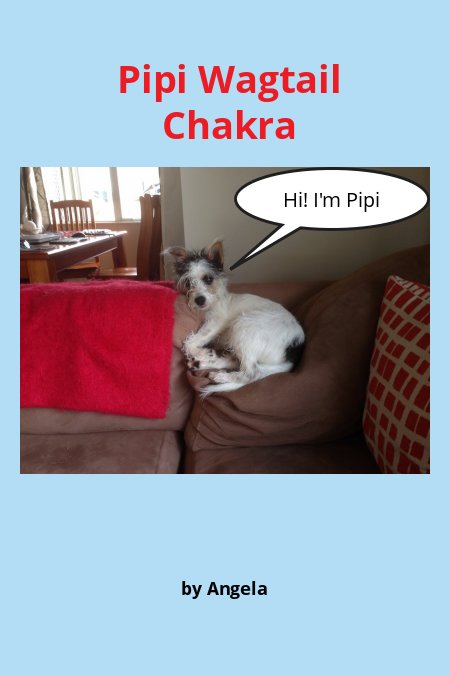
Here's a neat little app which is used with Chrome and a Google account, called Book Creator. It has been in the beta stage and has now been finished. I created this book with no difficulty in about 30 minutes, and although not much of a graphic artist, think that it looks quite good. What do you think? Have a try yourself at app.bookcreator.com. Once created, the author can get the html code to embed on a website or blog. There are many uses for this app - writing, storytelling, graphics with words and pictures. Shapes and call outs can also be added to give variety and individualisation, and pages can be added for long stories.
Friday, 19 May 2017
Animation
The class of children that I worked with to create their animations was really keen and interested to do these. They were studying magnets in class so I used this as the context for the animation. The class were taught how to animate one slide using the 'insert animation' feature in google slides. They learnt about putting in a background and using images with transparent backgrounds to make the setting look authentic. Then they learnt how to use the 'explore' function to select and add images which they then animated. They also learnt to animate text boxes. Learning also included the need to animate objects in the order that the creator wishes to have the objects move. Then I put all the individual slides together on one slideshow and embedded on my blog. I also showed the teacher how to embed this on her blog.
Friday, 12 May 2017
Uploading a movie (.MOV)
Subscribe to:
Posts (Atom)